Maintenance history
Record dated maintenance events, service notes, parts used, consumables, observations, and follow-up context for each printer.
Feature overview
NozzleNote by BMR is an independent desktop maintenance tracker, currently in Open Beta. This page separates implemented features from planned and roadmap-only ideas.
Core maintenance tracking
Core features focus on records users can review and maintain themselves.
Record dated maintenance events, service notes, parts used, consumables, observations, and follow-up context for each printer.
Plan recurring care prompts for cleaning, inspection, lubrication, replacement checks, and other routine work without treating reminders as safety guarantees.
Keep practical records for nozzles, build surfaces, filters, lubricant, replacement parts, vendors, and notes that help explain printer history.
A system-tray presence and compact mini window surface overdue and upcoming tasks without keeping the full app open.
Printer profiles
Profiles are planned to organize printer-specific history without implying manufacturer affiliation.
Printer profiles are the starting point for manufacturer-independent printer identity, setup notes, installed parts, and maintenance context.
Operators managing multiple printers can switch to a fleet view with status badges across all registered printers.
The dashboard and printer details surface recorded maintenance costs and simple forecasting to help anticipate upcoming work.
Profiles may later capture usage notes, location, accessories, and other context that makes maintenance records easier to interpret.
Product direction
Future resources must remain clearly labeled until they are implemented and reviewed.
NozzleNote is developed as a desktop app with maintenance records staying local by default.
BMR Curated Catalogs are planned as optional, licensed content packs maintained by BMR for content quality and organization, not manufacturer approval or certification. Catalogs are grouped by manufacturer and printer series in-app; the licensing/purchasing flow is not live yet.
Local JSON backup and restore, CSV export, and printable per-printer maintenance reports are implemented and were validated during Closed Beta.
User-authored maintenance routines can be exported to and imported from JSON files to share between printers or users.
The product direction favors clear records, careful labels, and human review over broad compatibility or automated diagnosis promises.
Roadmap-only features
These ideas may change, ship later, or never ship.
Calibration notes and related history are future ideas, not current release commitments.
Print-quality observations may be explored later; no photo-based analysis, automated diagnostic conclusions, or automated fault findings are promised.
Optional read-only connectors may be evaluated in the future, but no live integration, cloud sync, mobile app, or account system exists.
Beta preview
No login or cloud is required for the core maintenance workflow. App records are stored locally by default.
Preview slots from an earlier Closed Beta build for local printer records. Fleet view is implemented but not yet pictured here.
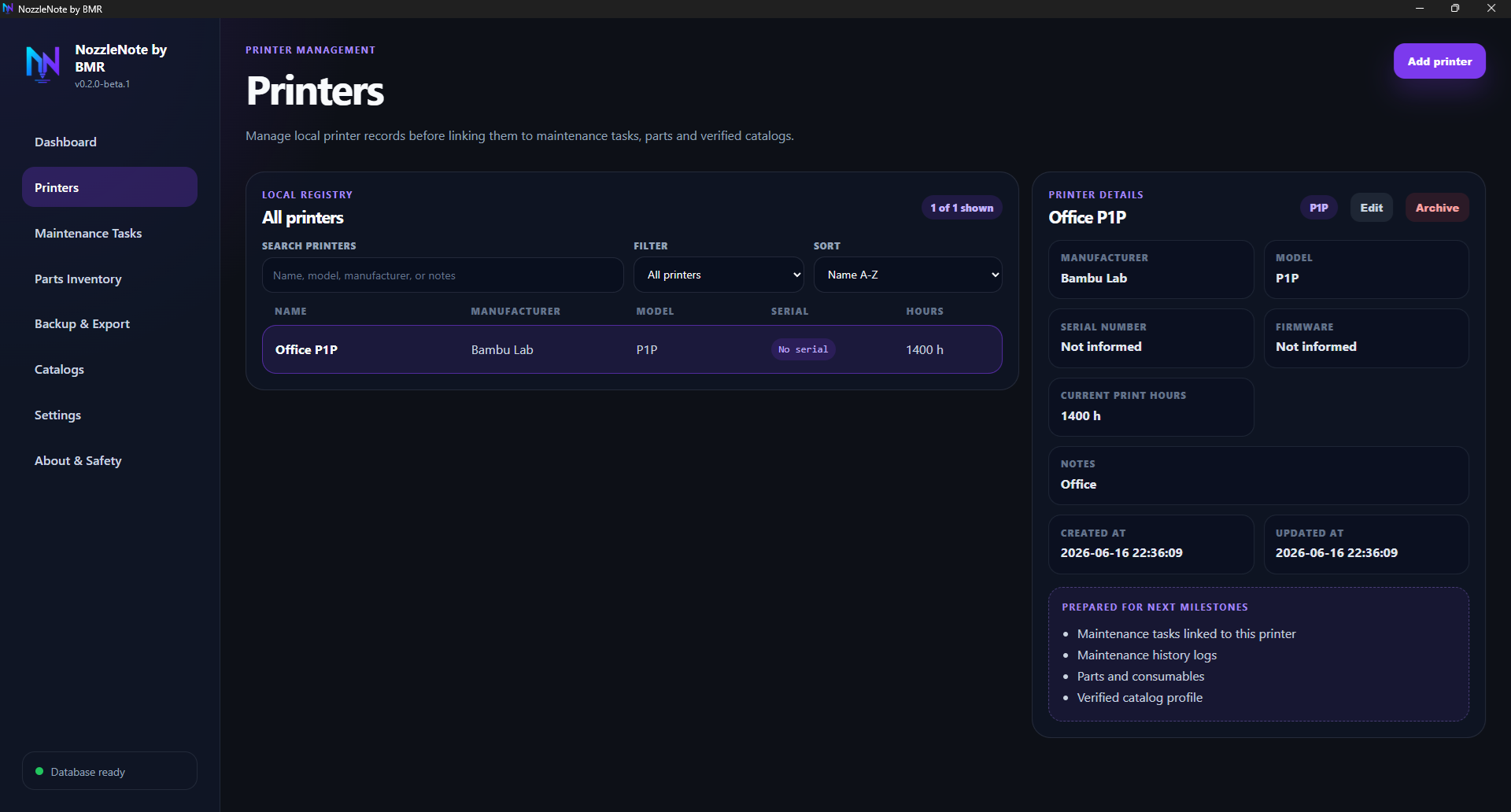
Printer registry preview — local printer records linked to maintenance workflows.
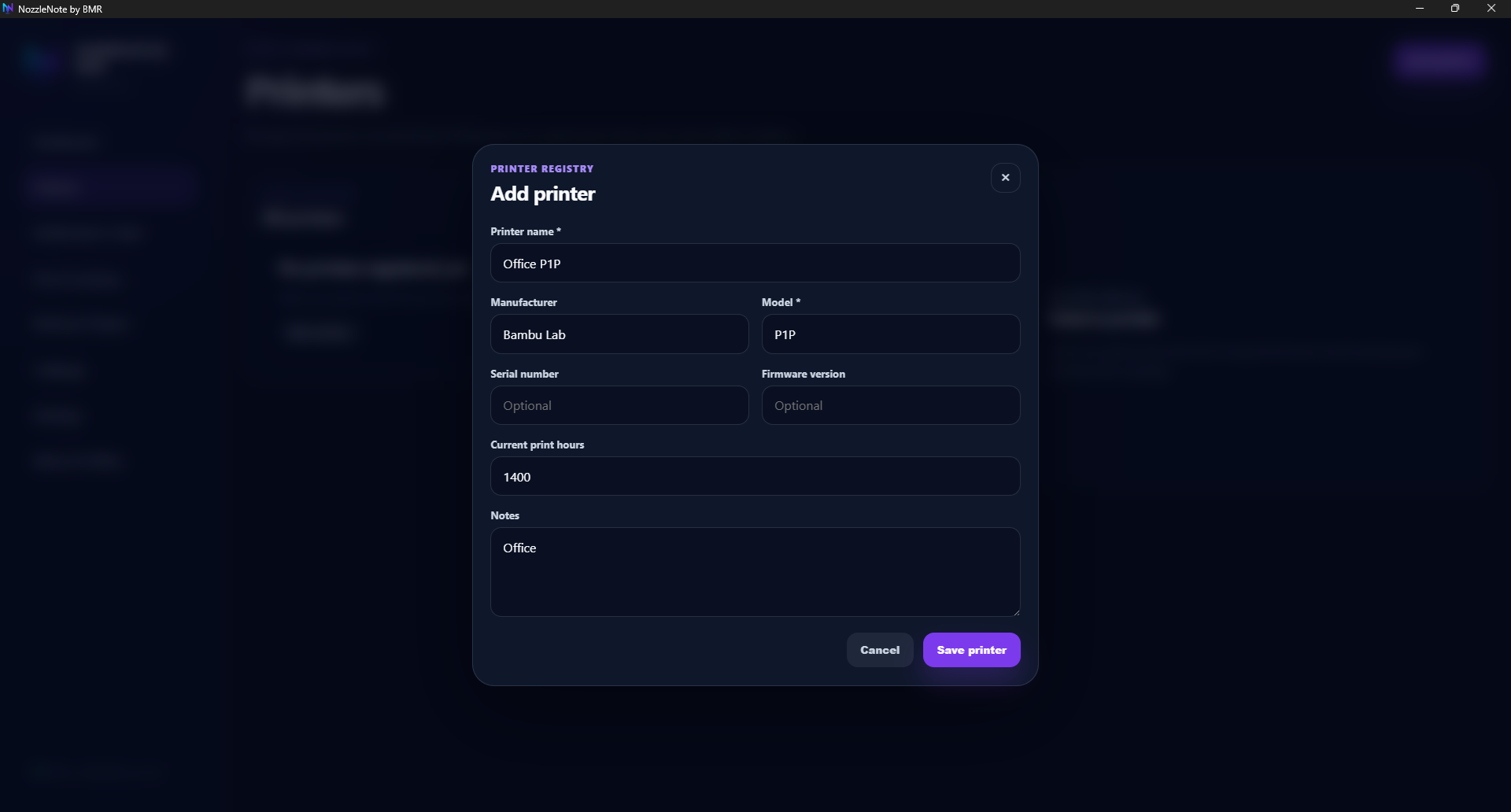
Add printer preview — create local printer records before tracking maintenance.
Preview slots from an earlier Closed Beta build for task planning and intervals. Interface may change before wider public release.
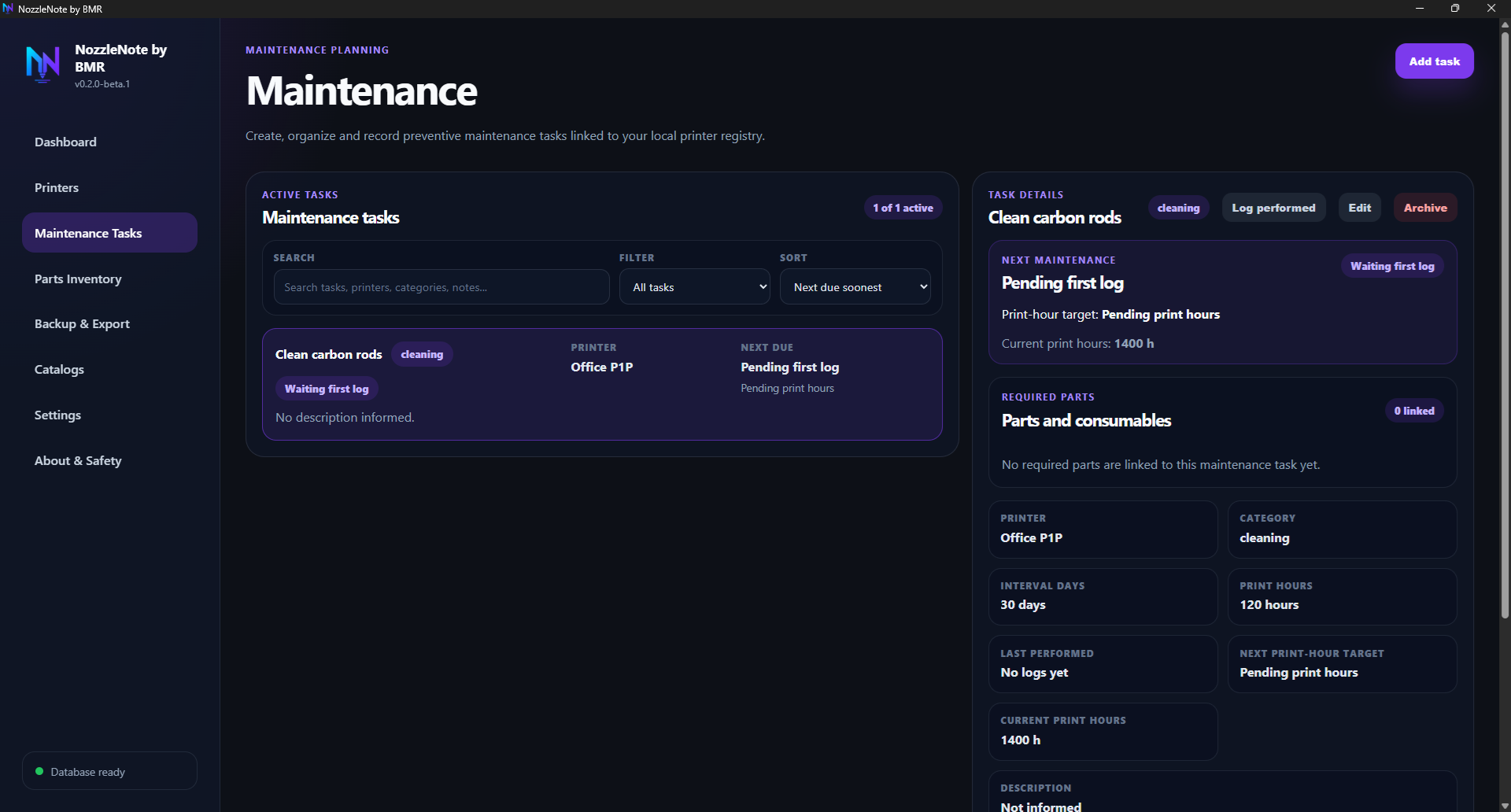
Maintenance task preview — organize preventive tasks by printer and interval.
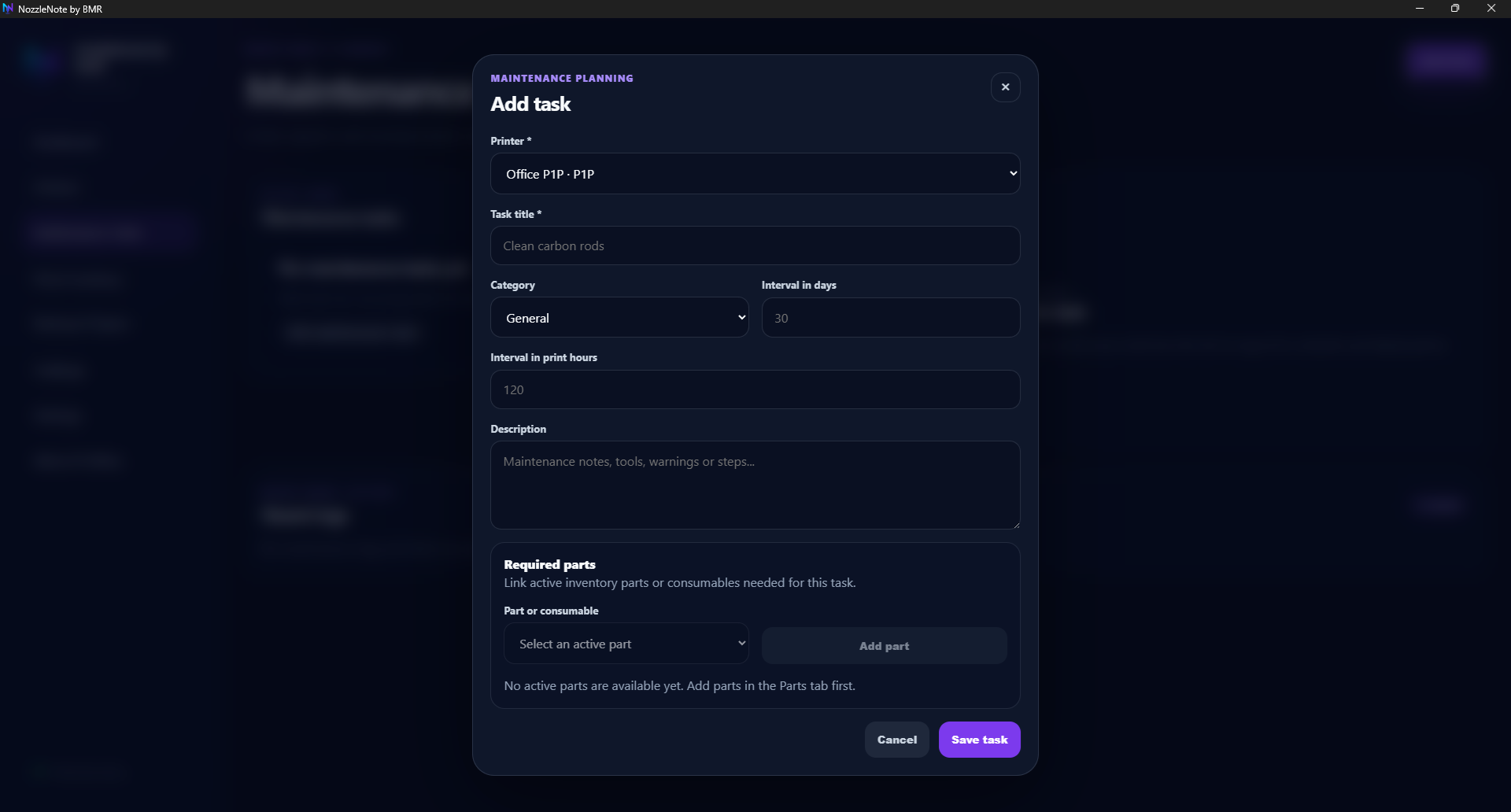
Add task preview — define maintenance intervals and required parts.
Preview slots from an earlier Closed Beta build for local spare-part records and low-stock review.
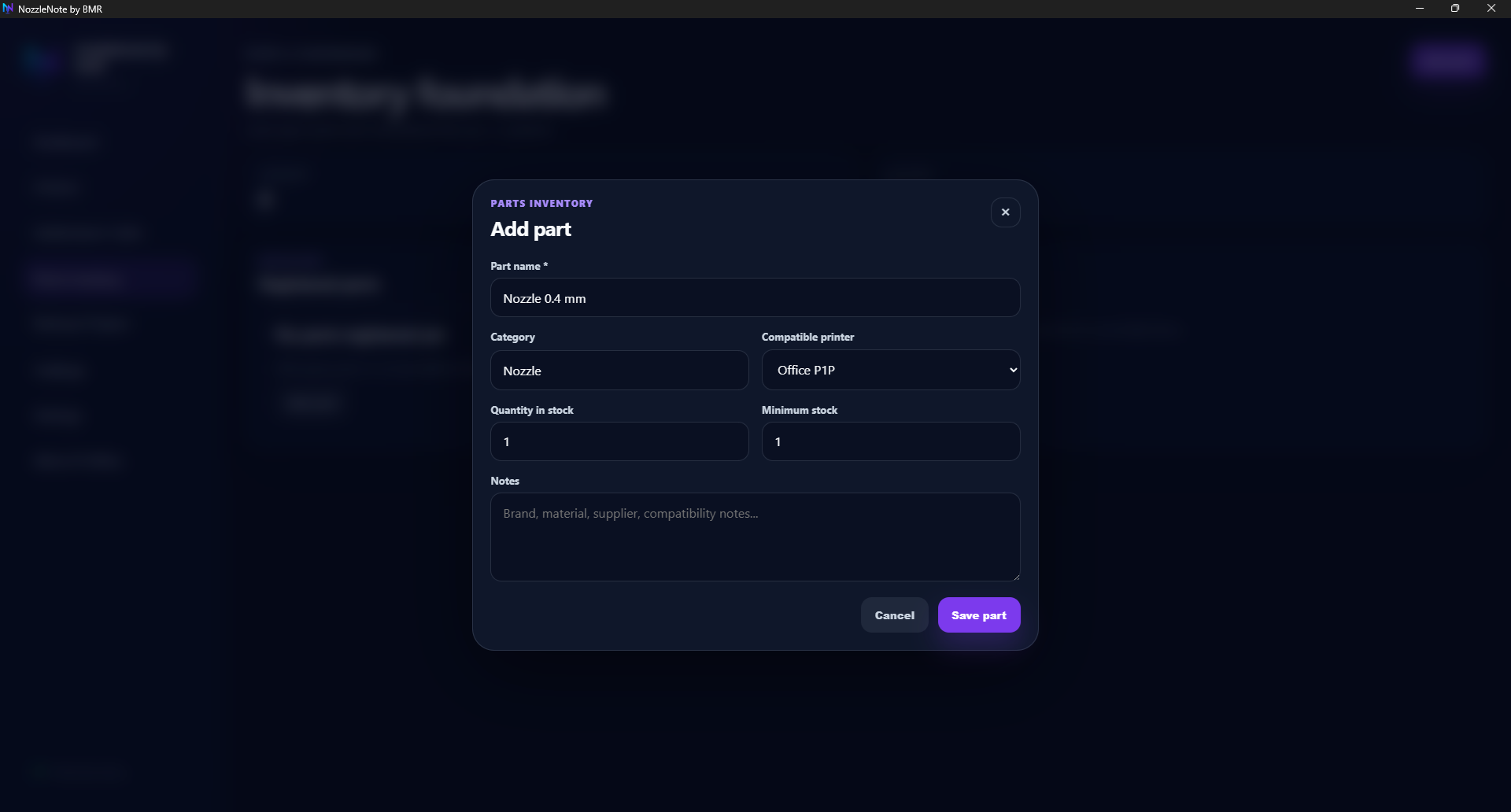
Parts inventory preview — track spare parts, stock status, and printer compatibility notes.
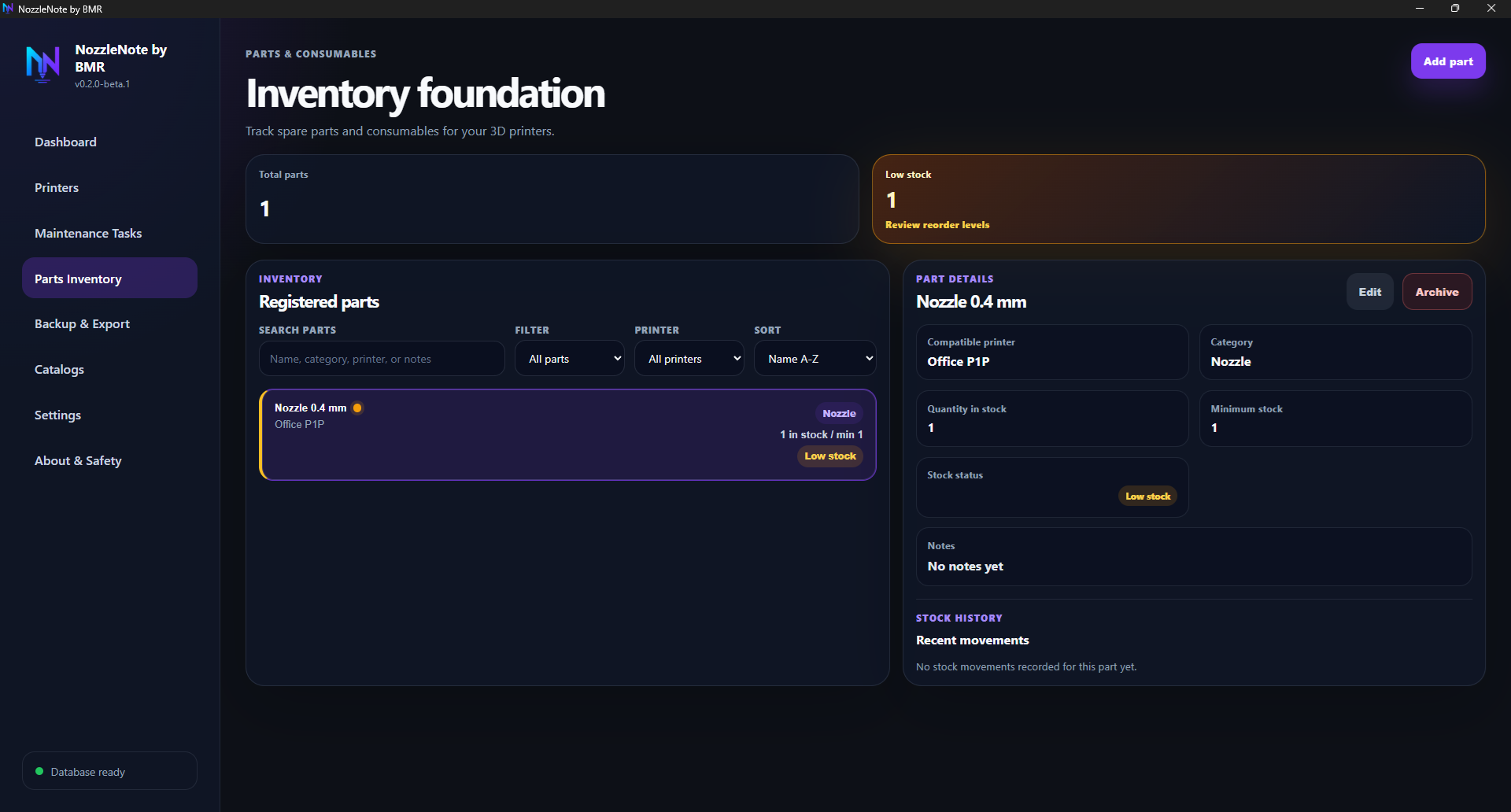
Low stock preview — identify parts that may need reordering.
Preview slots from an earlier Closed Beta build for local JSON backup/export. Full backup restore, CSV export, and printable reports are now implemented; updated screenshots are coming soon.
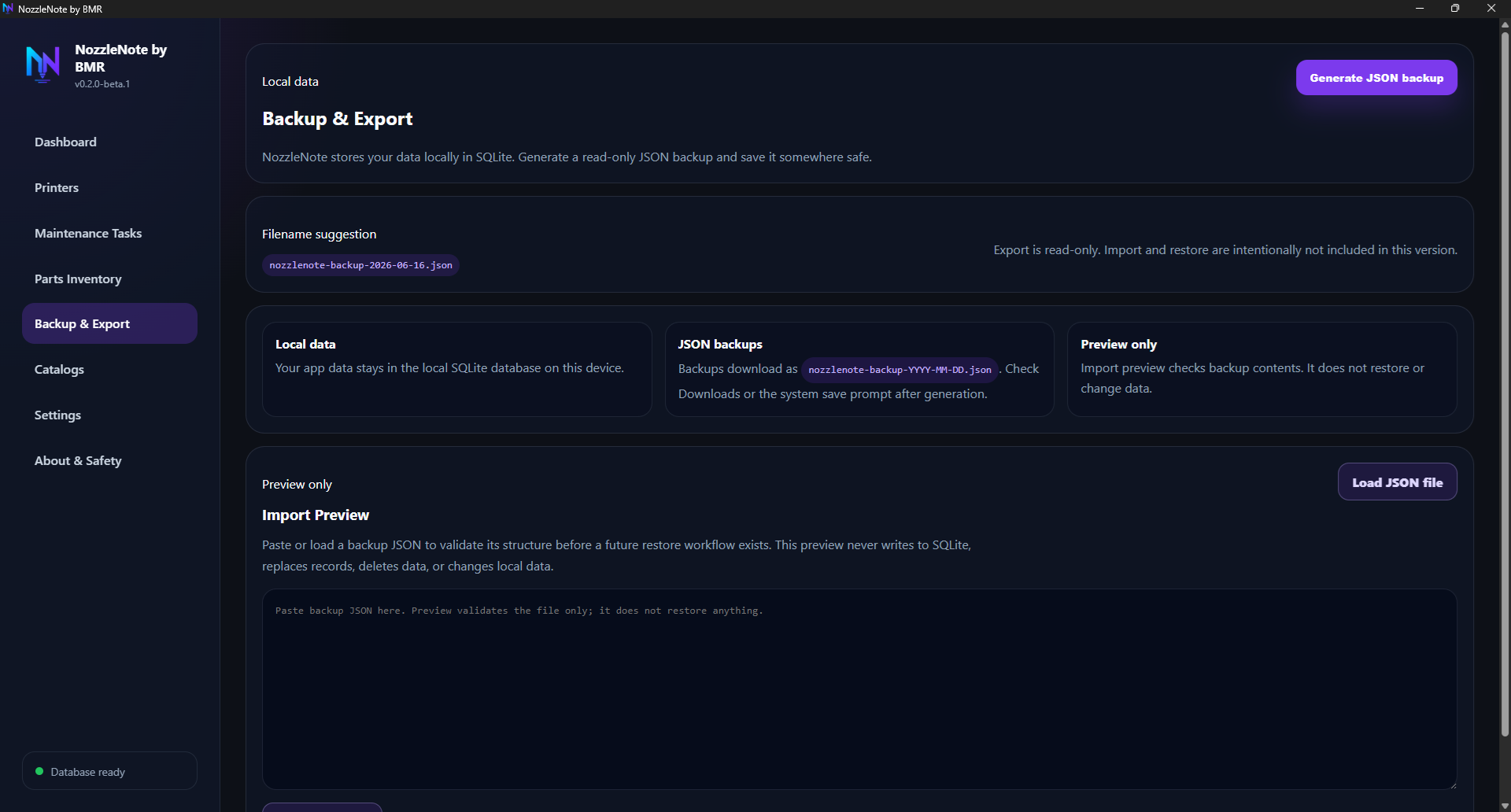
Backup & Export preview — generate local JSON backups and validate backup files safely.
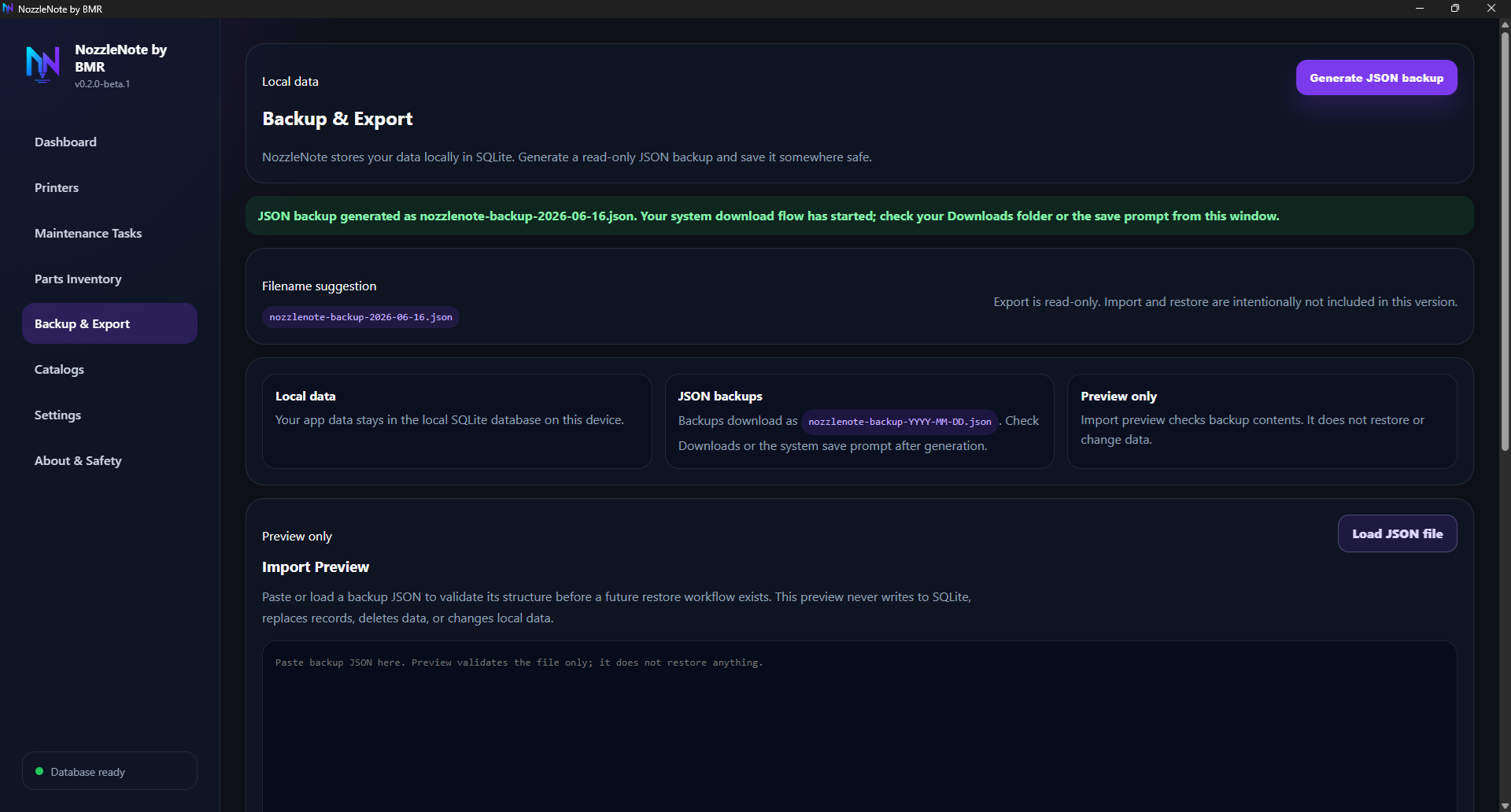
Backup success preview — JSON backup generated during Closed Beta testing.